
Rules, not code
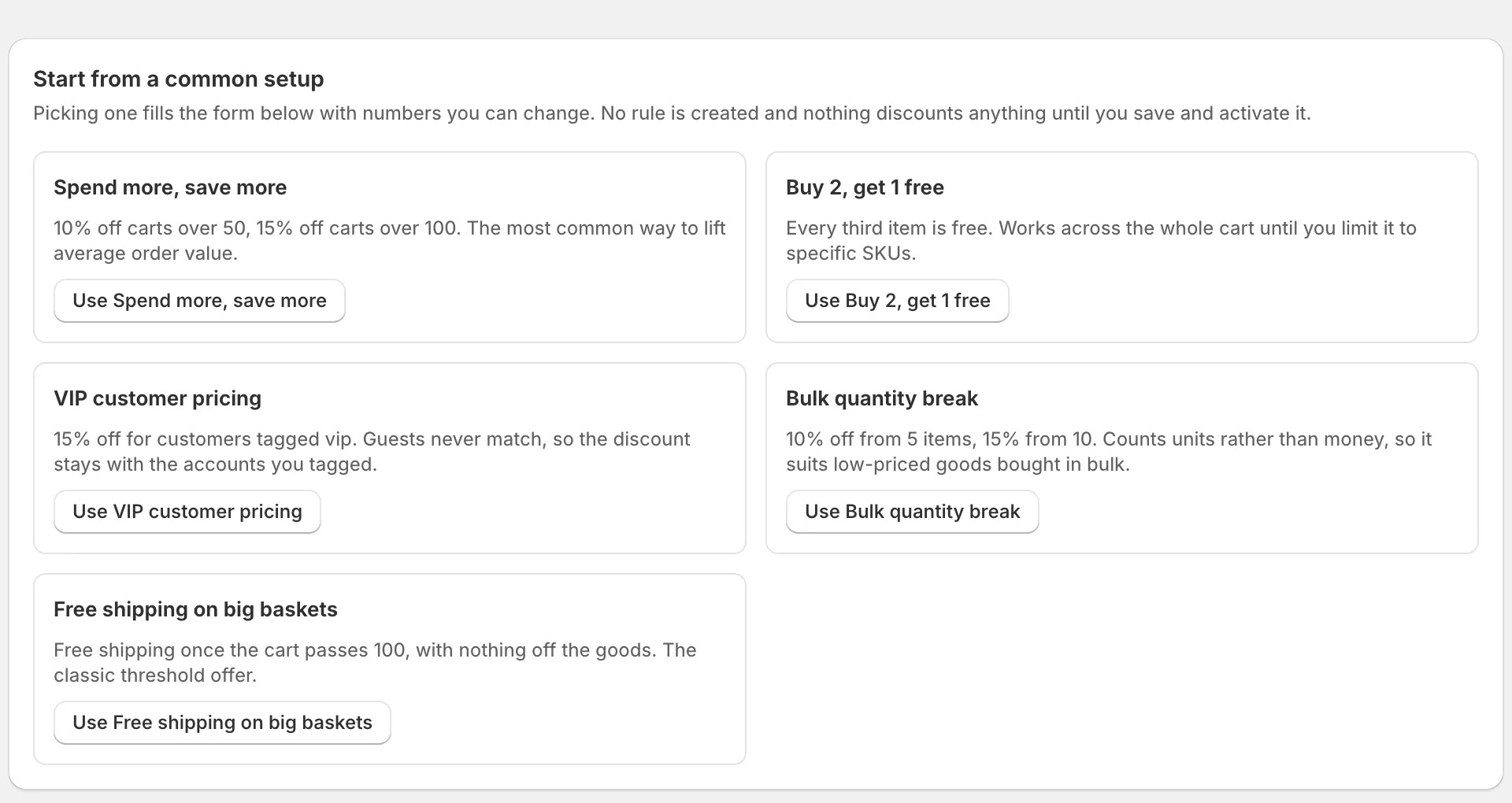
Tiered / volume discounts, Buy X Get Y, and VIP / wholesale pricing by customer tag — the patterns stores lost when Shopify Scripts shut down, rebuilt on Shopify Functions.
DiscountForge is a discount rules engine built on Shopify Functions — tiered pricing, Buy X Get Y, and customer-tag pricing, with a simulator that shows exactly why each discount does or doesn’t apply.
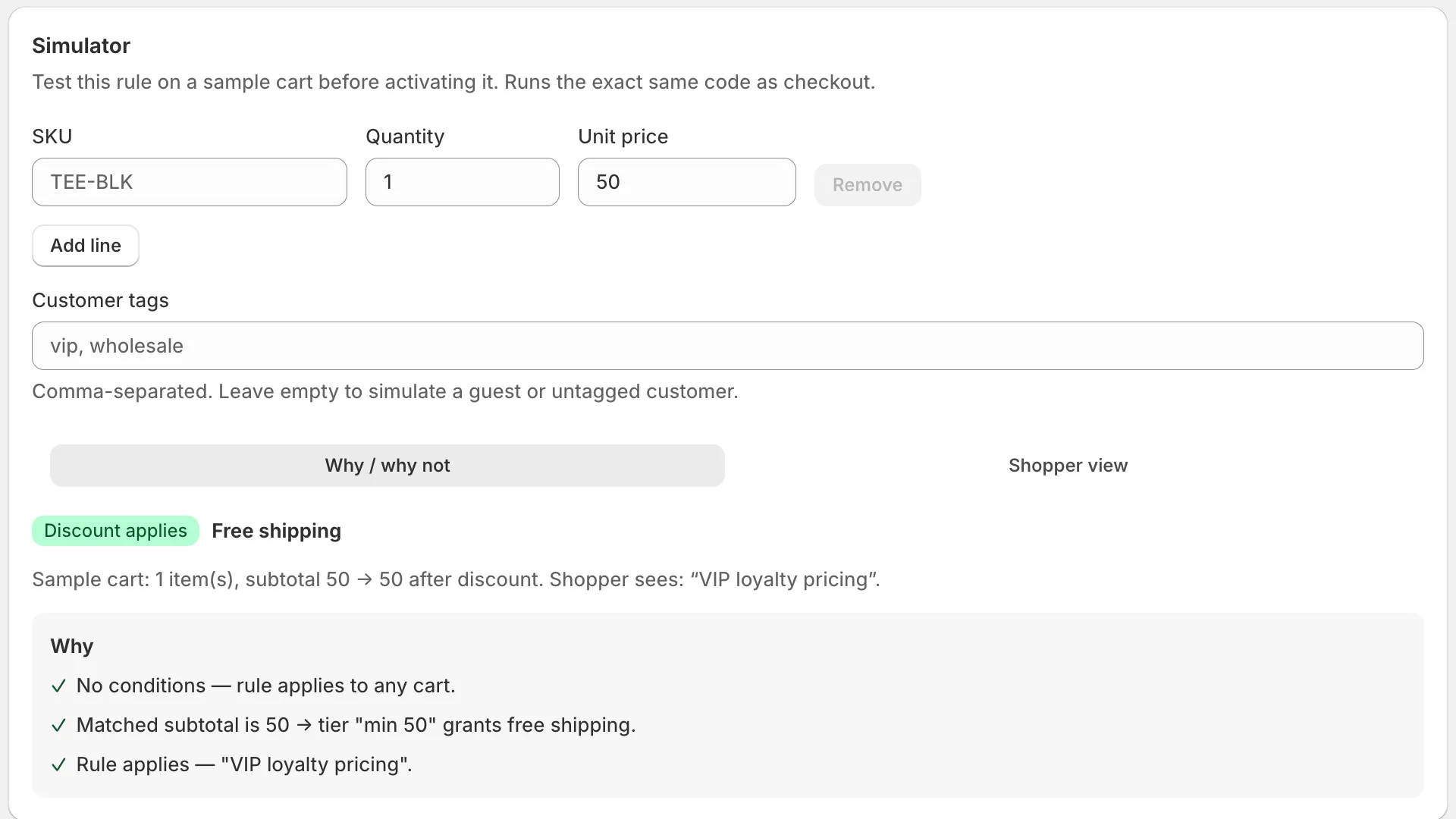
Pick a rule, change the cart, and watch it decide. This runs the same code that runs in checkout.
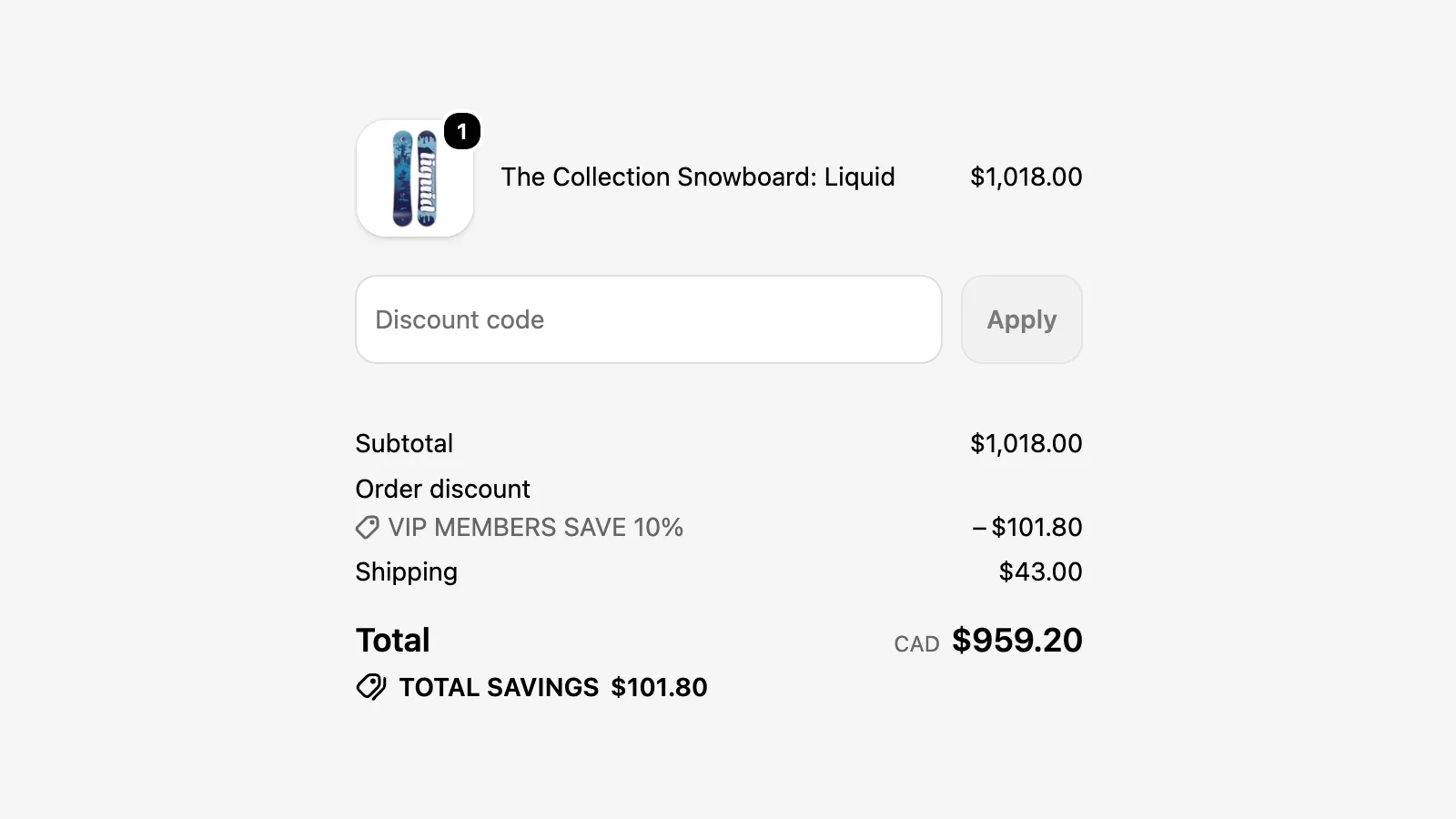
−$7.50
$75.00 → $67.50 at checkout, labelled “Spend more, save more”.
Why
Produced by simulateRule — the package the Shopify Function is compiled from.
That verdict came from the engine, not from this page. Install DiscountForge to point it at your own products.
81 seconds. No signup.
Tiered / volume discounts, Buy X Get Y, and VIP / wholesale pricing by customer tag — the patterns stores lost when Shopify Scripts shut down, rebuilt on Shopify Functions.
Run any rule against a sample cart and see exactly what checkout will do, with a line-by-line “why / why not” trace. No more guessing why a discount didn’t apply.
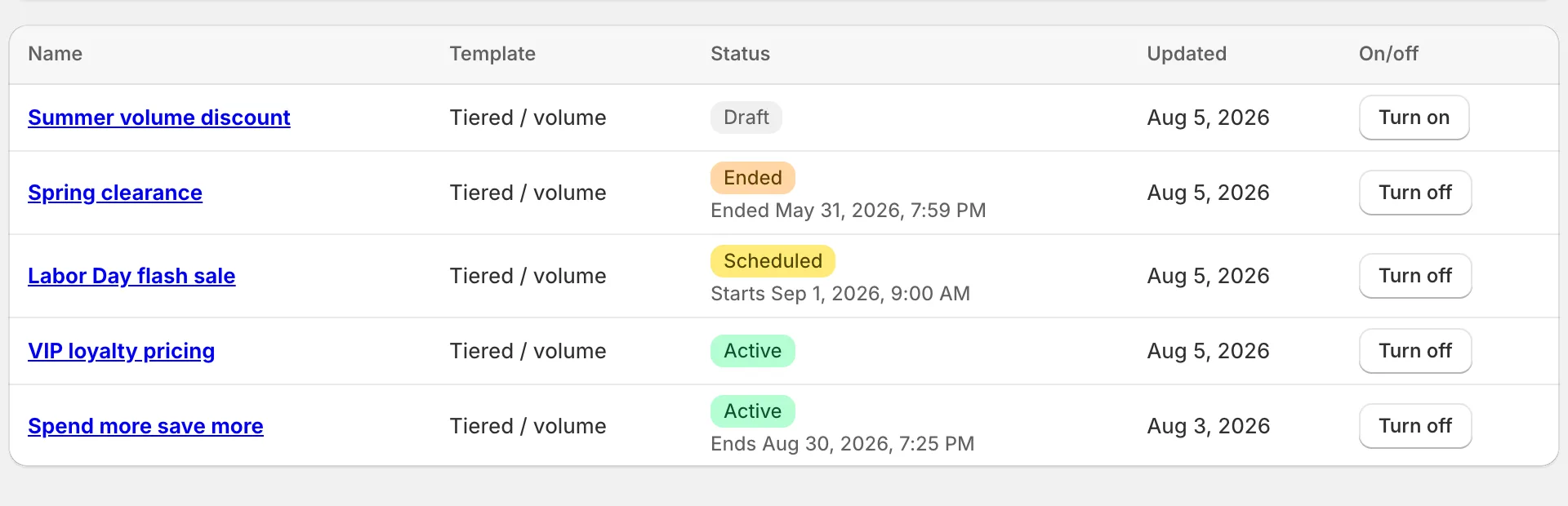
Discounts run natively inside Shopify checkout, customer tags sync automatically, and conflicting rules are flagged in plain language before they surprise you.
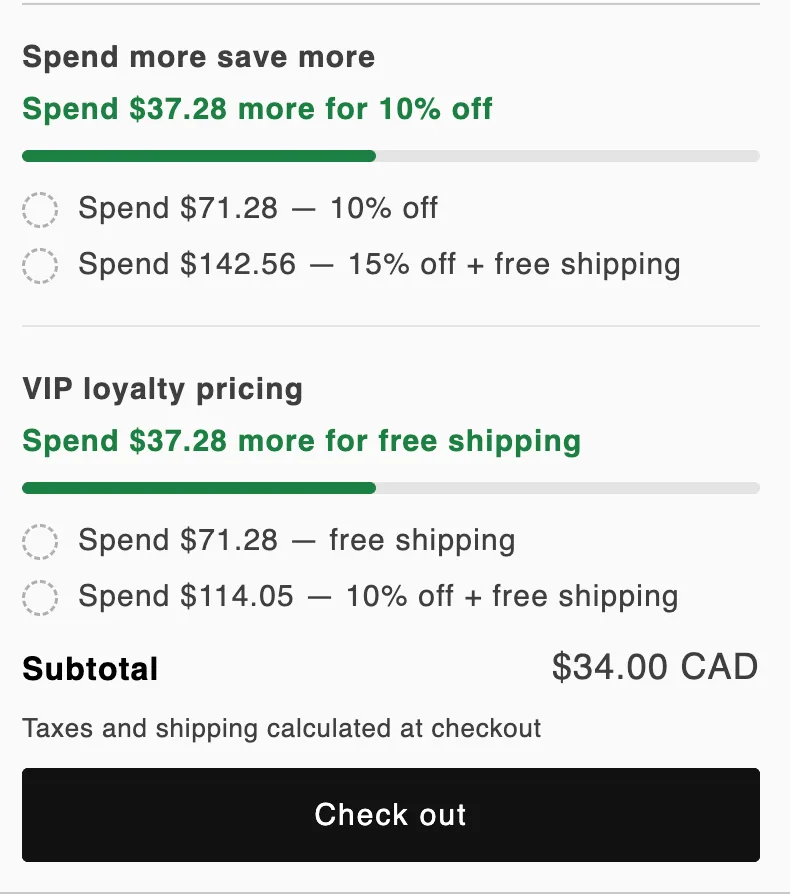
A discount nobody notices doesn’t lift the order. DiscountForge ships a theme block that puts the next reward in the cart, where the decision gets made.
$0 forever
$19 /month
$49 /month
Native discounts can’t do tiered / volume pricing, true Buy X Get Y, or VIP pricing by customer tag. DiscountForge runs those rules on Shopify Functions — natively inside checkout — and lets you simulate each one before it goes live.
No. Discounts are applied by a Shopify Function at checkout — there are no ghost products, no draft orders, and nothing that distorts your inventory or order reports.
You run any rule against a sample cart and get a line-by-line “why / why not” trace showing exactly what checkout would do. You’ll know why a discount does or doesn’t apply before a customer ever sees it.
The discount logic runs inside Shopify’s own checkout as a Function, so there’s no external app call in the buy path. Conflicting rules are flagged in plain language before they can surprise you during a big sale.
Every discount the app created is a native Shopify automatic discount owned by the app, so Shopify removes them the moment you uninstall. Nothing is injected into your theme files; any reward bar or tier widgets you added are theme app extension blocks that disappear along with the app. Data the app stored about your shop is deleted within 48 hours.
The app never reads or stores customer names, emails, addresses, or order history. For VIP pricing it mirrors your customer tags into a metafield that stays inside your own Shopify store. Nothing about your customers is copied to our servers.
Discounts: to create and update the automatic discounts your rules define. Customers: to write the tag-snapshot metafield that gates VIP or wholesale pricing at checkout. Products: to look up the titles, images and links of the products a rule targets, so the storefront widget can show them.
Only what you turn on from our theme extension: a reward bar in the cart, a tier table on product pages, and optionally highlighting your theme’s own discount labels in the cart. No theme code is edited, no scripts are added directly to your theme files, and each widget can be switched off at any time.
It creates automatic discounts only — it does not generate discount codes and does not apply post-purchase. Automatic discounts follow Shopify’s combination rules, so a rule that doesn’t combine with codes won’t stack with a code at checkout.
Email support@discountforge.app before or after installing. You get a reply from the developer within one business day, usually sooner.
Shopify gives you two different tools for free shipping over $X — a discount and a $0 conditional shipping rate — and they fail differently. Which to use, the rate-cap setting everyone misreads, and why shipping discounts never stack.
Quantity breaks, bulk pricing, and wholesale tiers — why one native discount can only express a single tier, how faking a ladder with several discounts breaks, and how to build one that survives multi-currency checkout.
Why the free item is never added to the cart for you, what happens when X and Y are the same product, how uses-per-order changes the payout, and the checks to run before a sale.
Two discounts that each work alone will silently refuse to stack unless both opt in. The real combination rules — classes, combinesWith, the best-discount rule — and the five defaults that look like bugs.
Shopify Scripts stopped running on June 30, 2026. How to rebuild line item, shipping, and payment scripts on Shopify Functions — with or without a developer.
DiscountForge is live on the Shopify App Store. Install it, build a rule, and simulate it against a sample cart — activate it only once the numbers match.
Install on ShopifyFree plan runs 3 rules on a live store. Upgrade when you need more.